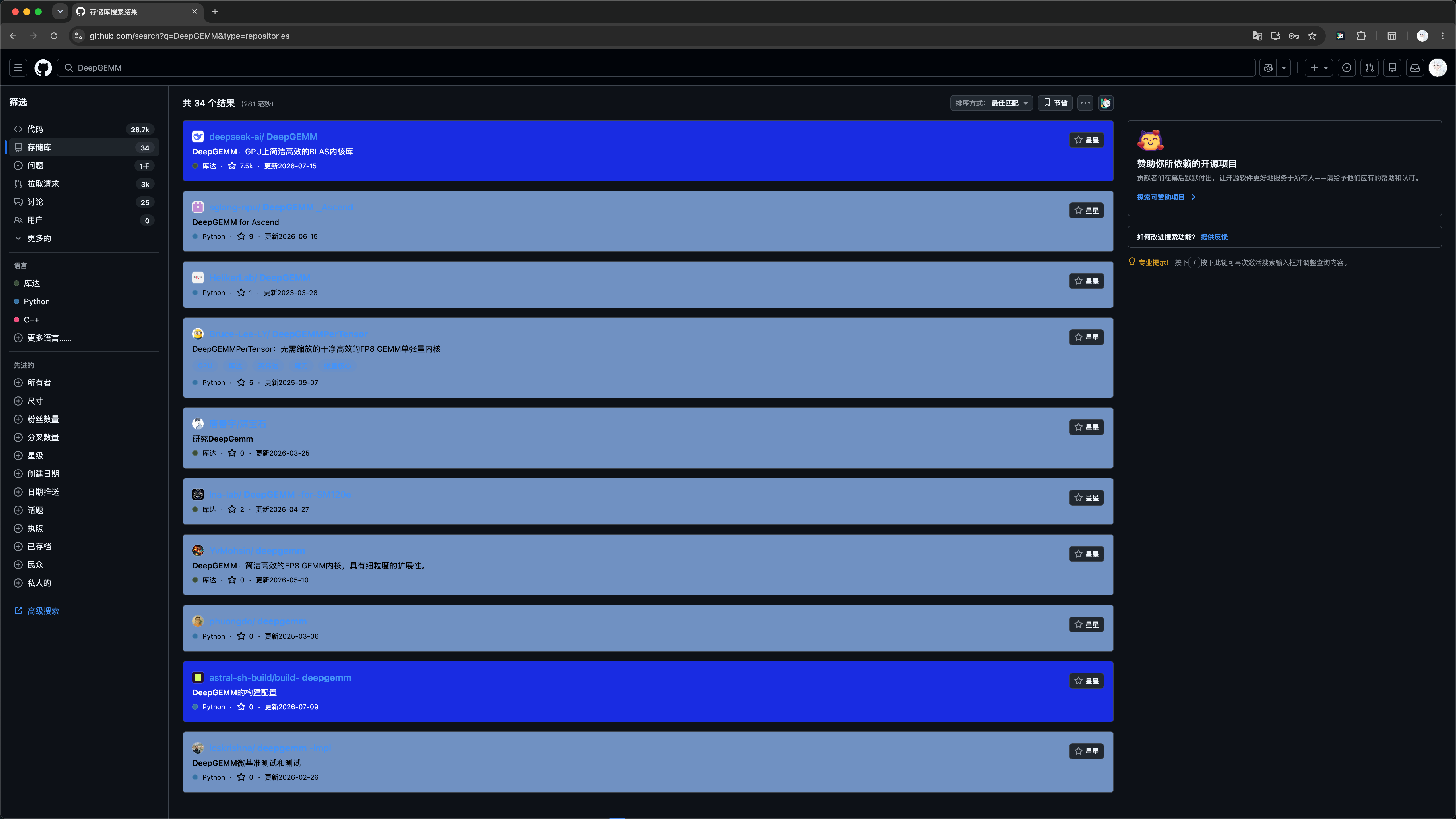
Preview
GitHub Freshness compares each update time with your configured freshness period and uses different colors for recent and older content. The colors below are examples; background, text, and file icon colors can all be changed in Feature settings.
Repository file list
Repository pages highlight file and directory update times within GitHub's existing layout. A settings shortcut appears after the Code button.
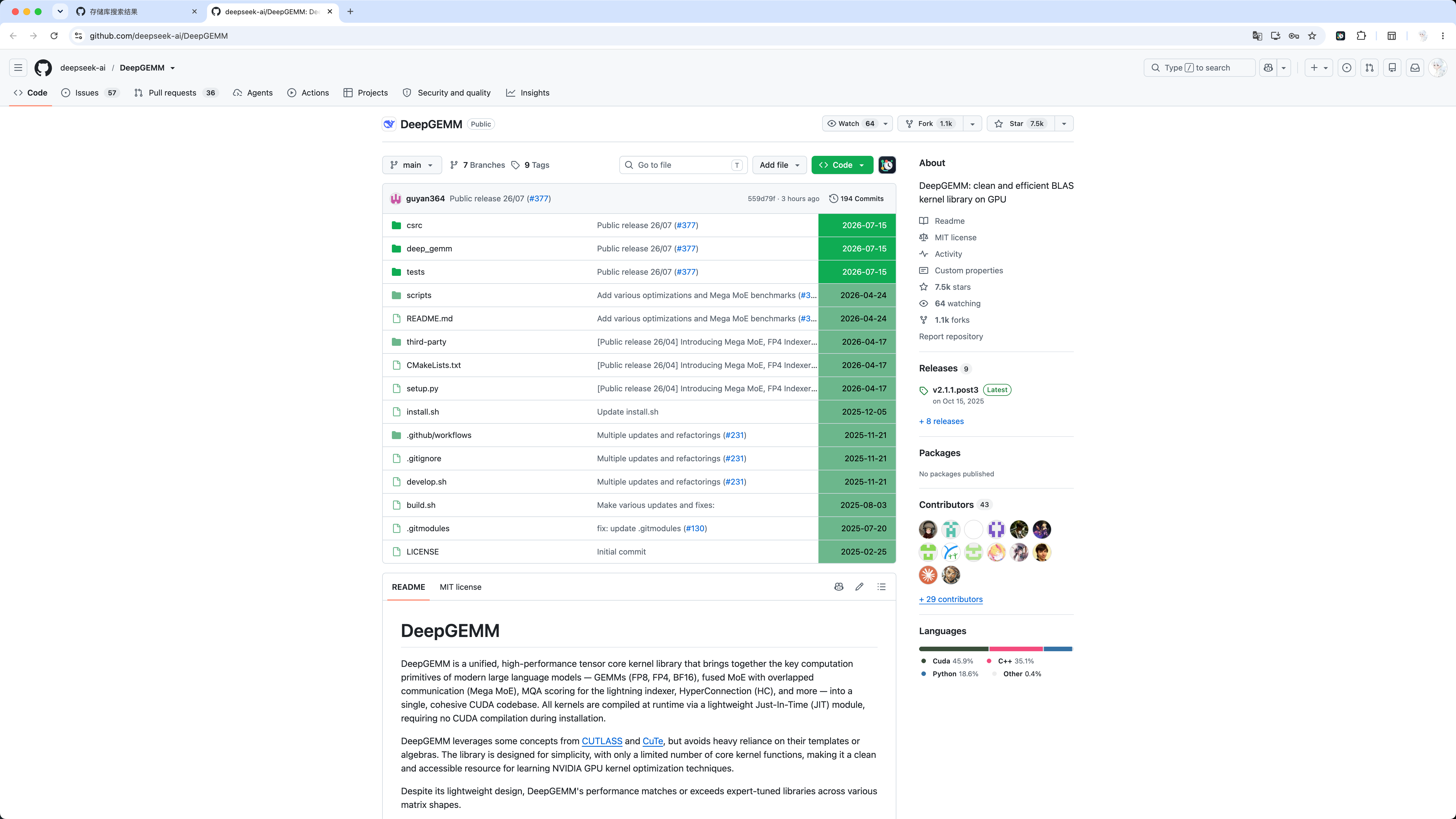
Settings panel
The panel provides separate light and dark configurations for freshness periods, colors, date formatting, file sorting, the AWESOME token, active theme, interface language, and JSON backups.
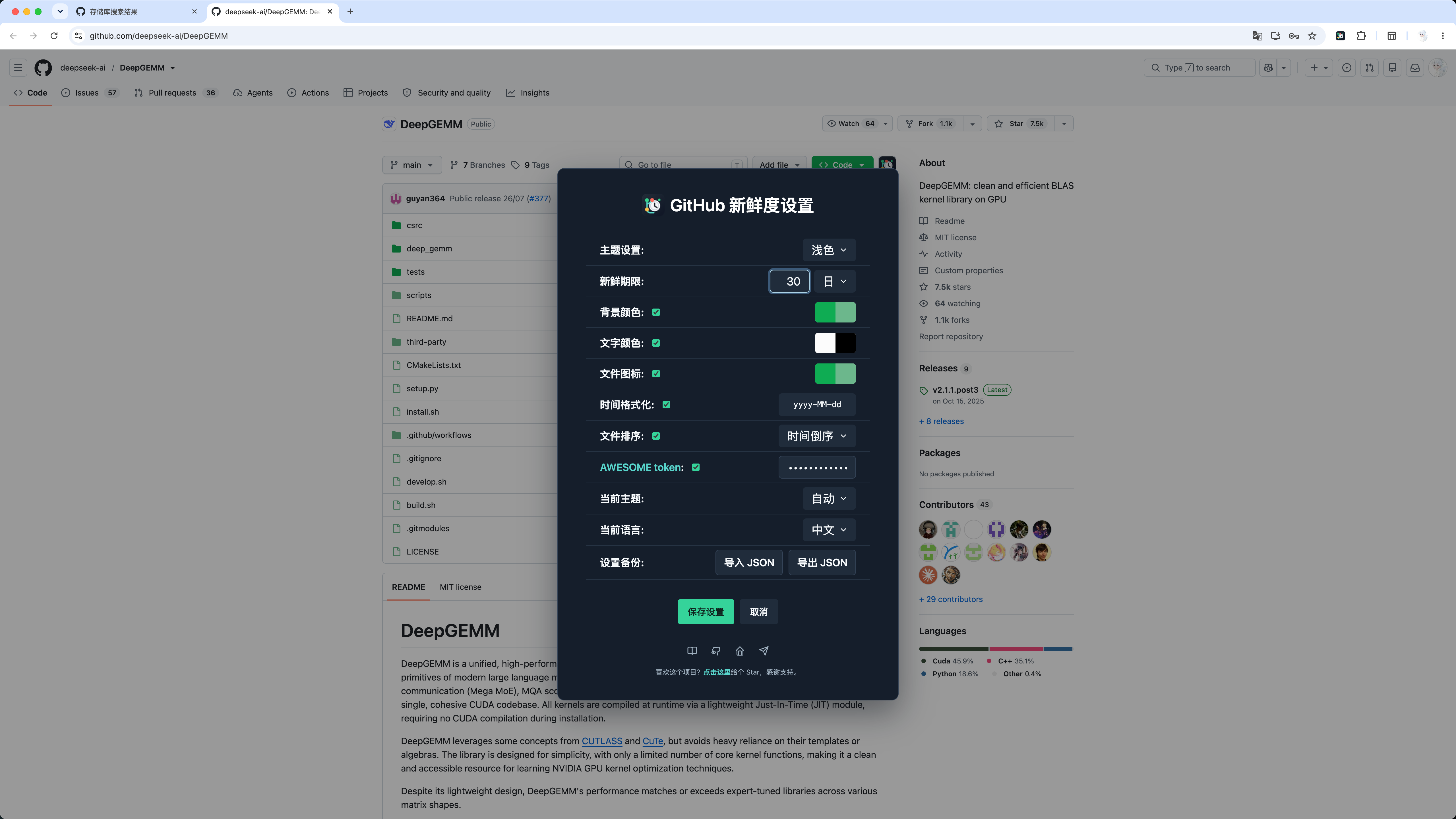
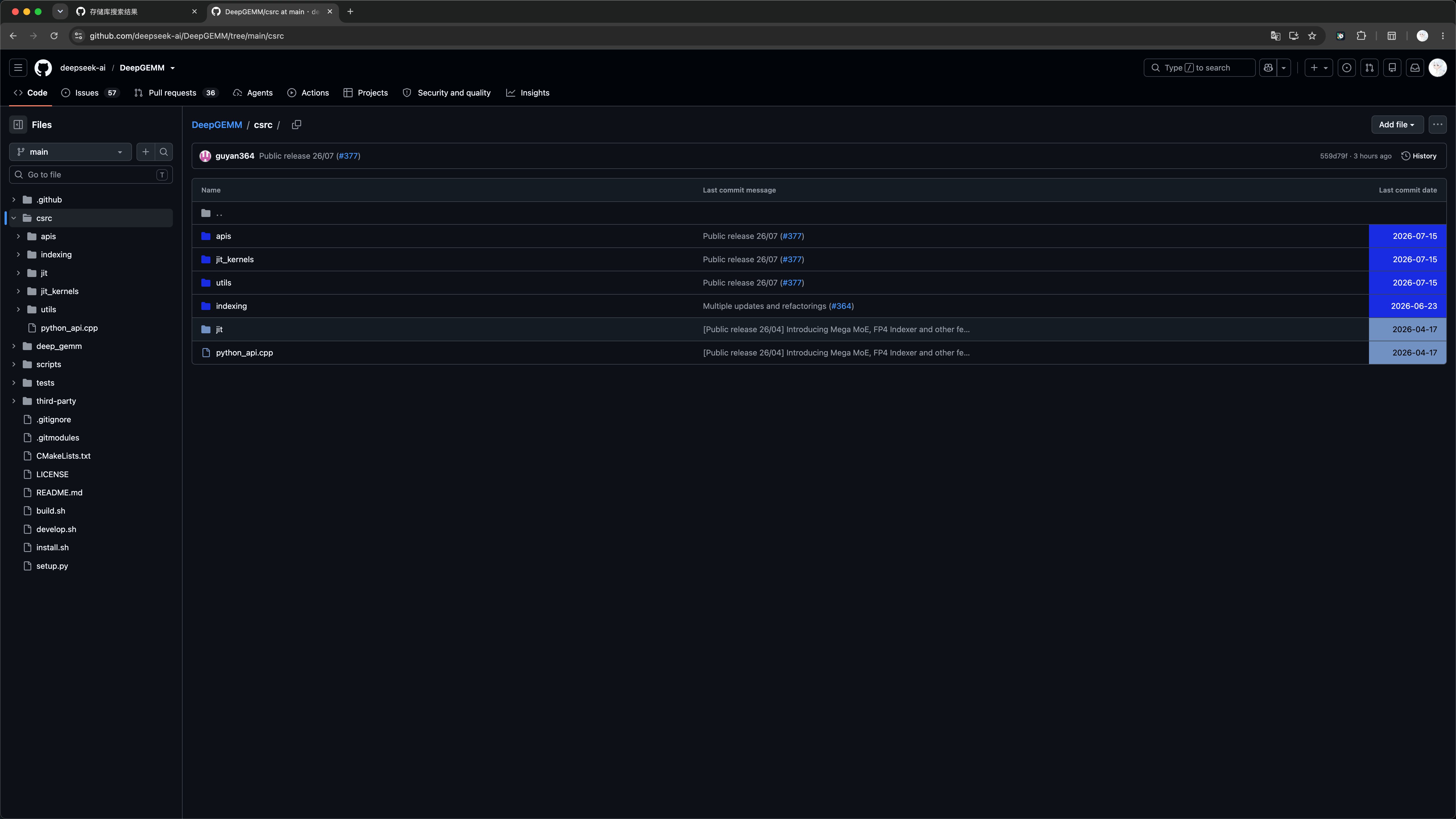
Repository tree view
GitHub Freshness continues processing the tree sidebar and file list when you enter a repository subdirectory.
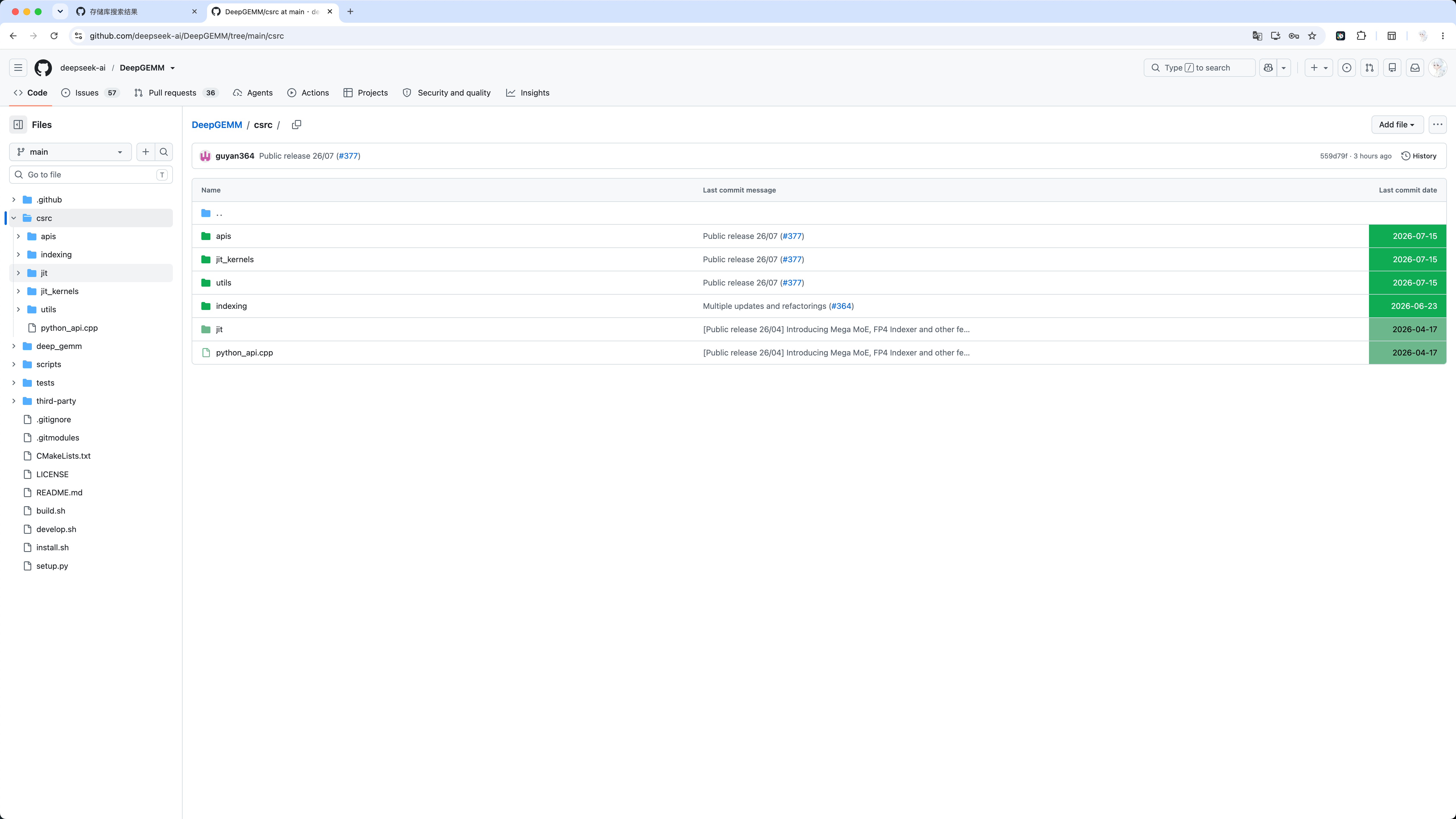
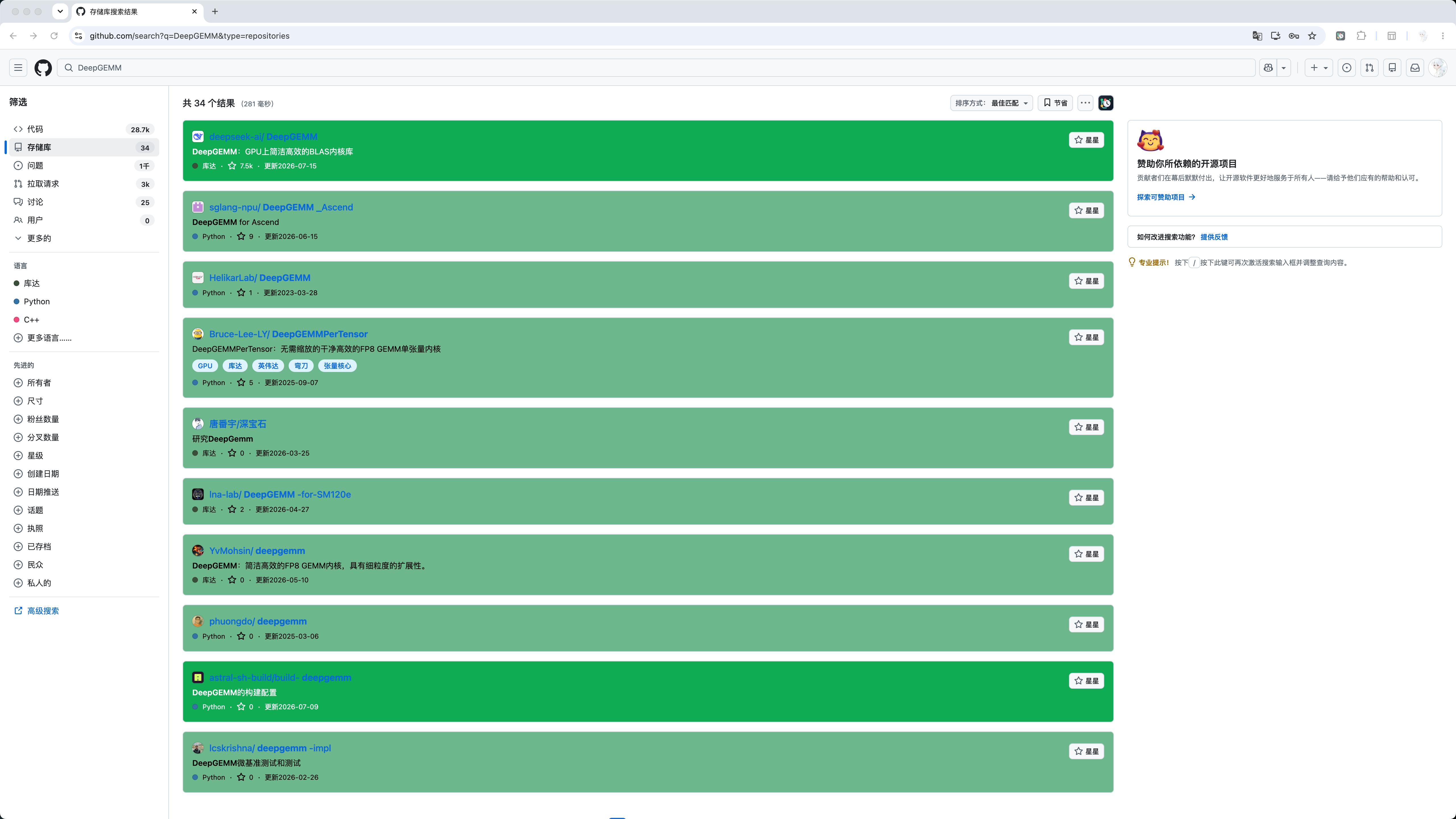
GitHub search results
Repository results receive a full-card fresh or stale background. Descriptions, languages, star counts, and update times follow the configured text colors, while repository names, topics, and Star buttons retain GitHub's native styles.
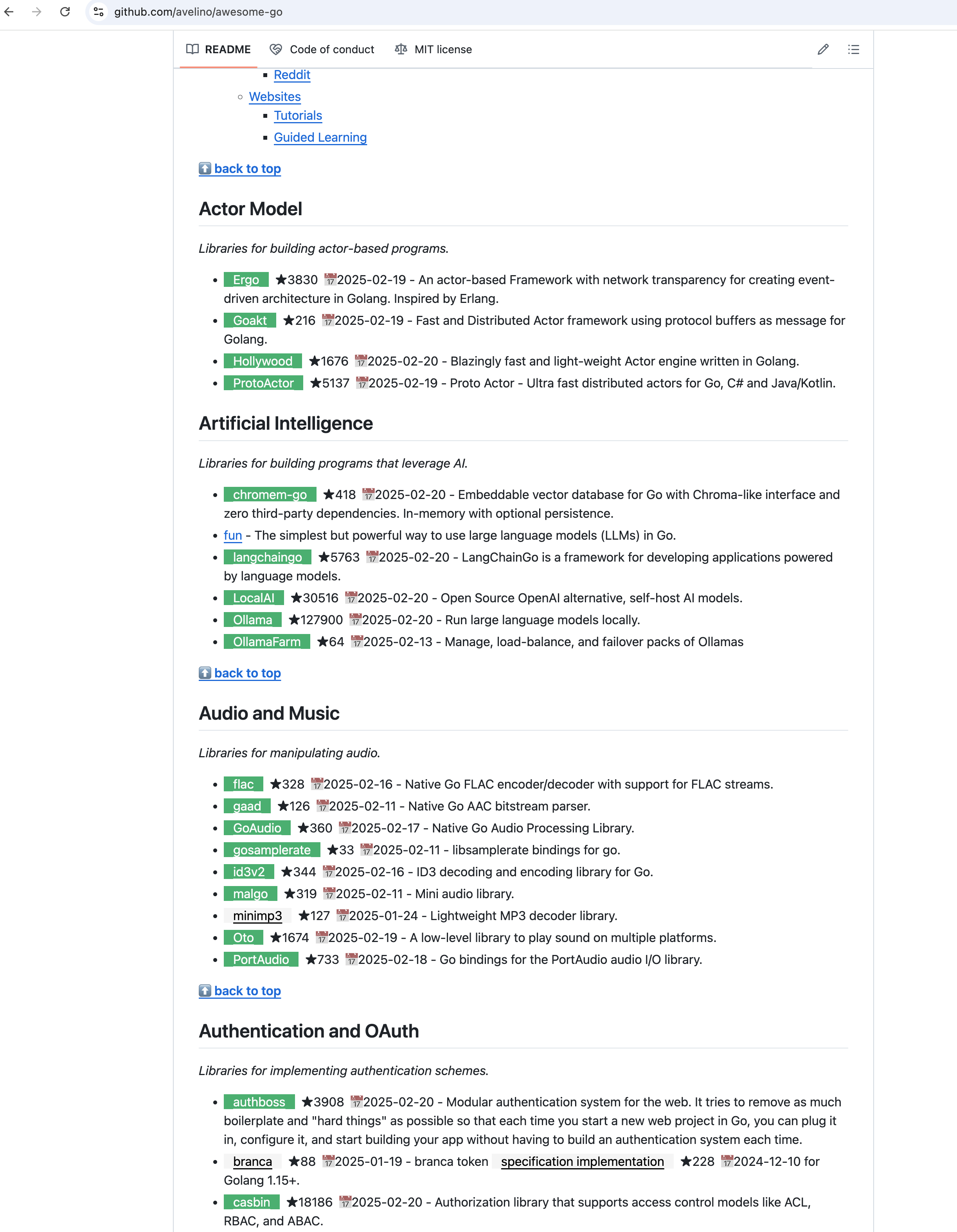
Awesome-style projects
When the AWESOME feature is enabled, Awesome-style project lists can show repository star counts and latest update dates.
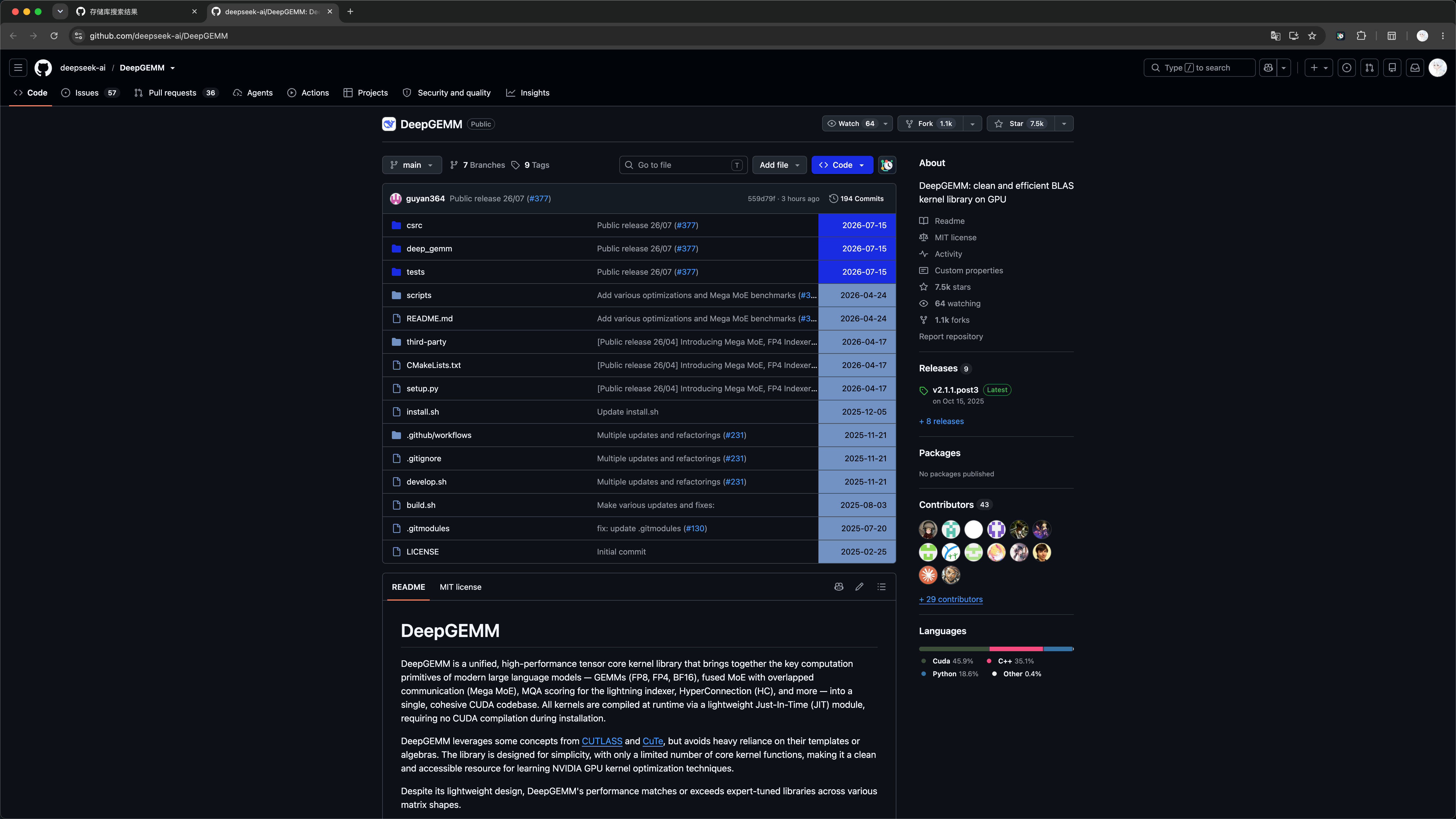
Dark theme
With Current theme set to Auto, GitHub Freshness follows the system appearance and uses the corresponding independent color configuration.
Dark repository file list
Dark repository tree view
Dark search results